 measure
7 Free Tools to Check Your AI Search Visibility (2026)
You don't need a paid subscription to get your first read on AI search visibility. These free tools give you a real starting point.
- You can get a genuinely useful first read of your AI search visibility for free, before paying for anything.
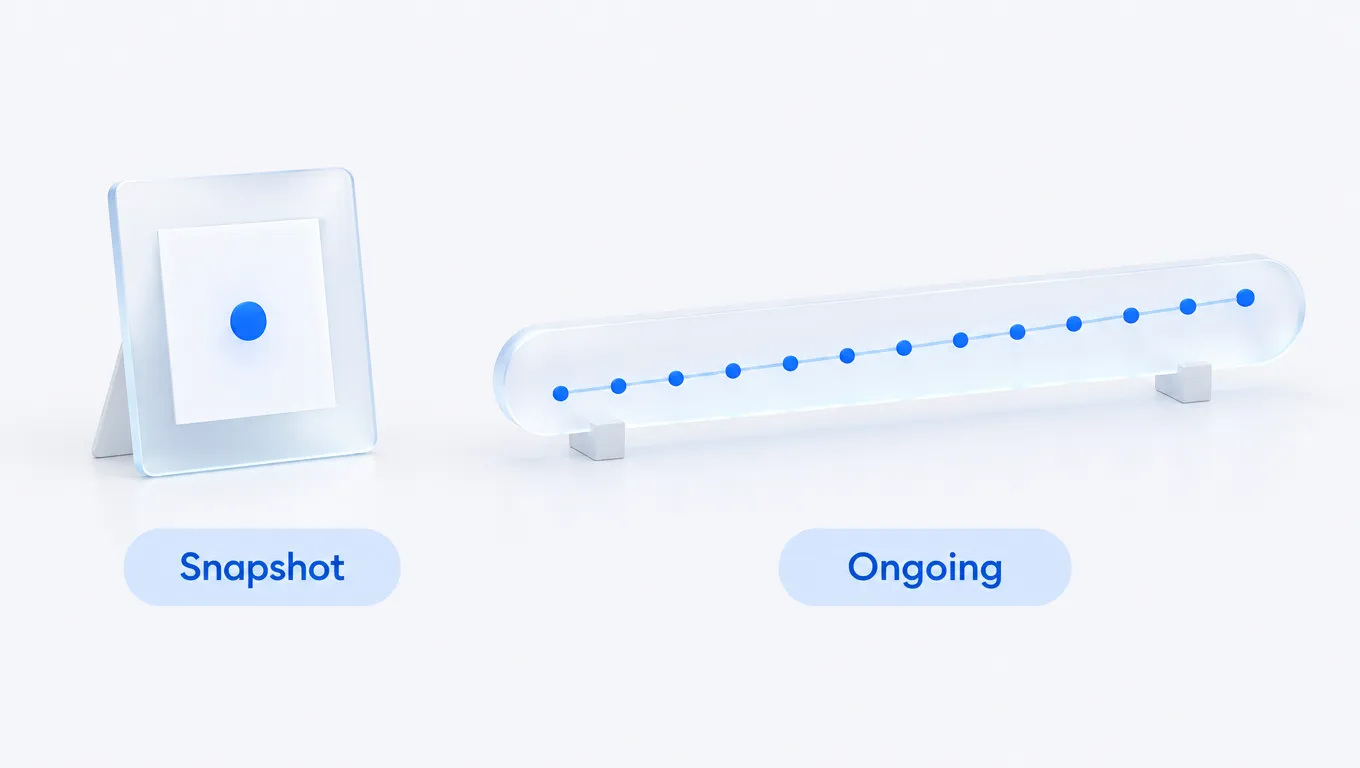
- Free tools fall into two kinds: one-off snapshots (a single check or a grade) and limited free tiers of paid monitors.
- Measure's two free checkers cover the two questions worth asking first: does ChatGPT name you, and can AI crawlers even read your site.
- Any free check samples one phrasing at one moment, so it misses mentions on other questions and cannot show a trend. Use it to confirm the gap, then track properly.
Start with a free read
A paid subscription is not the first step. Before you commit to one, you can get a useful first read of whether AI engines see your brand, and it costs nothing. Free tools will not run hundreds of buyer questions across every engine on a schedule, but they answer the two questions worth asking first: when someone asks an AI assistant for a recommendation in your category, does your brand come up, and can the crawlers that feed those answers even reach your site. This roundup covers seven free ways to check, what each one actually looks at, and where free stops being enough.
One note on what "free" means here. Some of these are one-off snapshots: you enter a domain or a question, you get a result, and that is it. Others are free tiers of paid products that keep monitoring for you but cap the prompts and engines you can track. That difference matters, so it is the last column in the table below.
The free tools worth starting with
Here are the four free tools most people reach for first, side by side. Three more do-it-yourself options follow the table.
| Free tool | What it checks | Cost | Ongoing? |
|---|---|---|---|
| Measure AI Visibility Checker (does ChatGPT name you) | Whether ChatGPT names your brand for a buyer question, and which sources it cites | Free | |
| Measure AI Crawler Checker (can AI crawlers read you) | Whether AI crawlers are allowed to read your site, via robots.txt and llms.txt | Free | |
| HubSpot AI Search Grader (AEO grade) | An answer-engine-optimization grade for how AI-ready your brand and site look | Free | |
| Otterly.AI free plan (limited monitoring) | Ongoing mentions across the main engines, capped on the free tier | Free (limited) |
Seven free tools, reviewed
1. Measure AI Visibility Checker
Best for: a fast answer to whether ChatGPT names you. Our free AI Visibility Checker takes a brand or domain and a buyer question and runs it live in ChatGPT, showing whether the answer names you and which sources it cites. It is a one-off snapshot rather than a tracker, so treat it as the fastest way to confirm whether you have a problem worth fixing. If ChatGPT names three rivals and not you, that is your signal to start measuring properly. Disclosure: this is our tool, and it is free to use with no account, which is why it leads this list.
2. Measure AI Crawler Checker
Best for: ruling out the most common, most fixable cause of invisibility. Before an engine can cite you, its crawler has to be allowed to read you. Our free AI Crawler Checker reads your robots.txt and llms.txt and tells you whether bots like GPTBot, PerplexityBot, ClaudeBot and Google-Extended are permitted or blocked.

Sites sometimes block these crawlers without meaning to, through a blanket bot rule or a CDN setting, so this quick check can explain a low score on its own. Also free, no account.
3. HubSpot AI Search Grader
Best for: a free grade to benchmark against. HubSpot's grader gives a one-off answer-engine optimization score for how AI-ready your brand and site look. Like our checkers it is a snapshot and a lead magnet rather than an ongoing tracker, but it is a credible free second opinion and a reasonable number to measure improvements against. Cost is zero; it does not monitor over time.
4. Otterly.AI free plan
Best for: a taste of ongoing monitoring without paying. Otterly.AI offers a limited free plan that keeps watching a small number of prompts across the main engines, rather than a single snapshot. That makes it the one genuinely ongoing option on this shortlist, with the catch that the free tier caps how many questions and engines you can track. Plan limits change, so check Otterly's pricing page for the current caps. It is a fine way to see what continuous monitoring feels like before deciding whether to pay for more.
5. The engines themselves
Best for: the most honest free check there is. You can open ChatGPT, Perplexity, Gemini and Claude and ask them the questions your buyers ask, then read who gets recommended. It costs nothing beyond the free tiers of the assistants, and it shows you the raw answer rather than a score. The weakness is that it does not scale or record anything: answers vary from run to run and between accounts, so a single manual check is a spot reading, not a trend. Do it for five real buyer questions and you will learn more than any grade can tell you. Our engine-specific guides for Perplexity, Gemini and Claude explain what to look for in each.
6. Google Search Console and GA4
Best for: seeing whether AI answers already send you traffic. Two free Google products tell you what is happening downstream. Google Search Console shows the queries and pages Google surfaces in search; it does not give a clean, standalone AI Overviews report, and our guide to the Search Console generative AI report covers what it does expose. Google Analytics 4 can be segmented to isolate referral traffic from ChatGPT, Perplexity and other assistants. Neither was built for AI visibility, but together they are a free way to connect mentions to real visits, which is the part most dedicated tools charge for. Measure builds on exactly this data with native GA4, Search Console and Bing Webmaster attribution.
7. Bing Webmaster Tools
Best for: understanding how Copilot and Bing see your site. Microsoft Copilot leans on the Bing index, so Bing Webmaster Tools, which is free, is a useful window into whether that index has crawled and understood your pages. It will not tell you whether Copilot names you in an answer, but a page Bing cannot index well is a page Copilot is unlikely to cite. Pair it with the crawler check above for a complete free picture of readability.
A 30-minute free audit, step by step
The tools above are most useful in a fixed order, because each step rules out a cause before the next one. Here is the sequence we would run for a brand starting from zero, using only free tools.
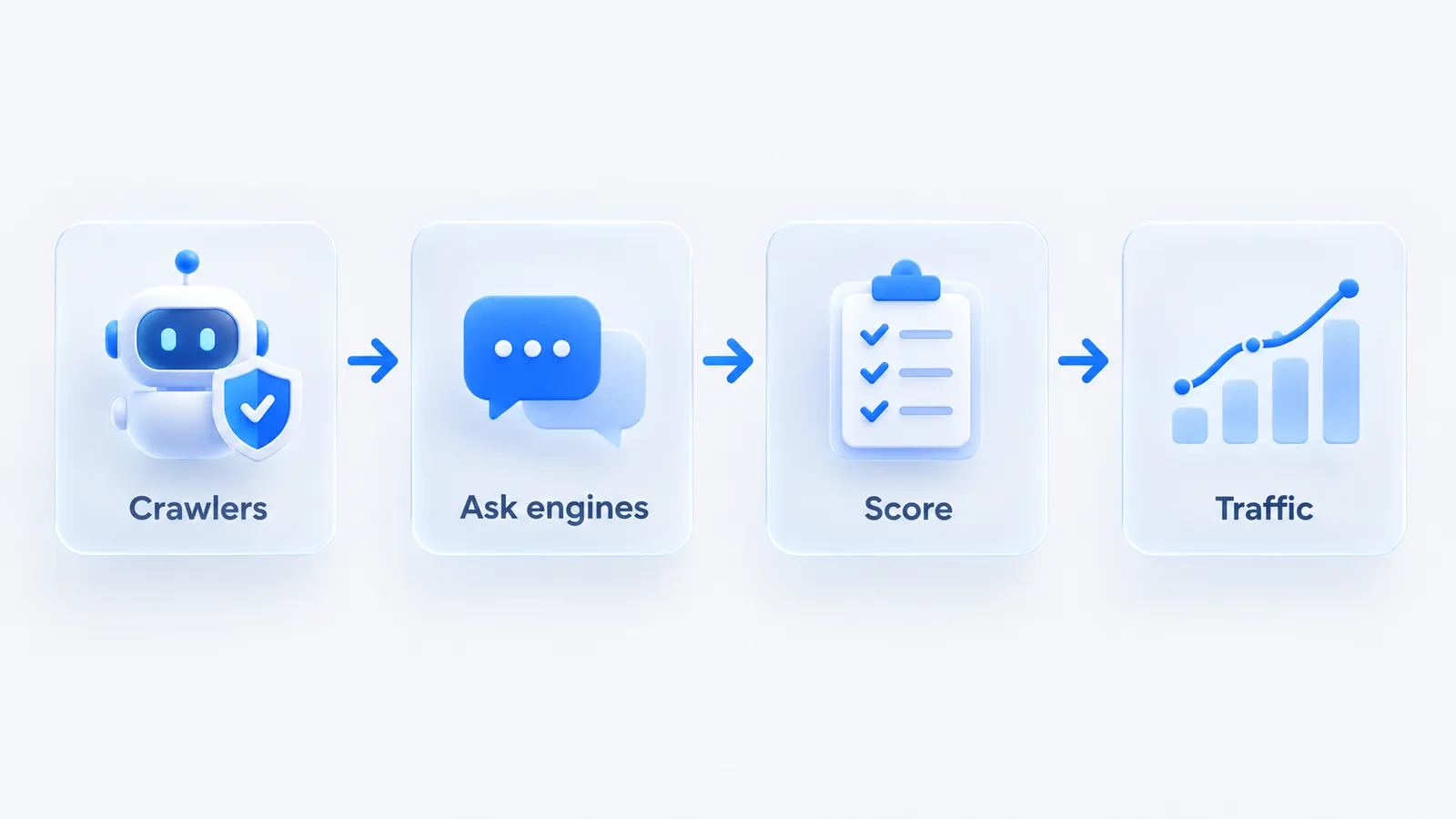
- Crawler access (5 minutes). Run the AI crawler checker on your domain. If GPTBot, PerplexityBot, ClaudeBot or Google-Extended is blocked and you did not intend it, fix that before anything else; every later result depends on it.
- Ask the engines (15 minutes). Write five buyer questions, for example "best [category] for [your customer type]", "alternatives to [biggest competitor]", "[category] for [specific use case]", "how do I [problem you solve]" and "is [your brand] good for [use case]". Run each in ChatGPT (or via the free checker), Perplexity, Gemini and Claude in a logged-out or fresh session.
- Score it (5 minutes). For each of the 20 answers, give 2 points if you are named in the first three recommendations, 1 point if you are named lower down, and 0 if you are absent. Note which rivals appear and which sources are cited. A score out of 40 is crude, but it gives you a baseline to re-run in a month.
- Check for traffic (5 minutes). In GA4, filter referral sessions for sources such as chatgpt.com and perplexity.ai. Even a small number of sessions tells you AI answers are already sending visitors, and which landing pages they arrive on.
Read the result as a pattern rather than a grade. Absent everywhere with crawlers blocked is a technical fix. Absent everywhere with crawlers open usually means too little third-party coverage. Named in one engine but not the others points to the specific sources that engine cites, which the next step is to track properly.
Where free tools stop
Free tools are a first read, not a program. Three limits are worth being clear-eyed about.
- Sampling. A free check looks at one phrasing at one moment. AI answers vary between runs and between accounts, so a single result can miss a mention that would appear on a slightly different question or an hour later. One green result is reassuring; it is not proof.
- No trend. Snapshots cannot show whether you are gaining or losing ground, which is the number that actually tells you whether your work is paying off. For that you need the same set of questions run on a schedule and scored over time.
- Narrow coverage. Free tiers cap prompts and engines, and running every engine daily is expensive, so no free tool checks everything continuously. In Measure, for example, Perplexity is the engine run daily on most plans; the others are sampled on a cadence that scales with the plan.

Use free tools to confirm the gap and fix the obvious blockers, then move to something that tracks a real set of buyer questions across the five engines that matter: ChatGPT, Perplexity, Gemini, Claude and Google AI Overviews. For the full landscape of paid options, our guide to the best AI search visibility tools compares them in depth, and how to track brand visibility in ChatGPT walks through the ongoing version of the manual check above.
How to choose a free tool
Match the tool to the question you are actually trying to answer.
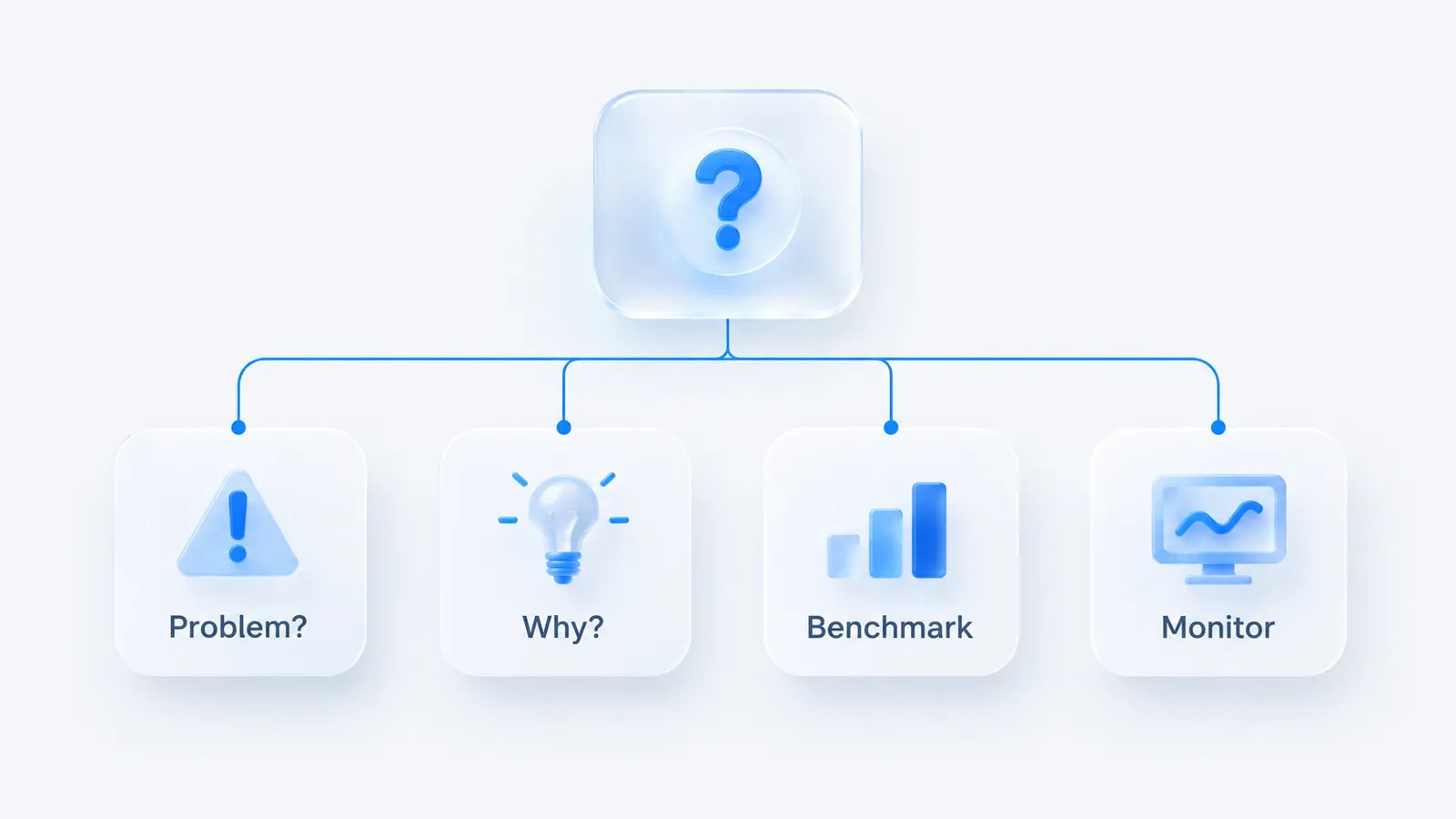
- Just want to know if you have a problem: run the Measure AI Visibility Checker and ask two of the engines by hand. Ten minutes, no account.
- Score is low and you want to know why: run the AI Crawler Checker first, because a blocked bot is the cheapest possible fix, then check Bing Webmaster Tools for indexing issues.
- Want a number to benchmark: take the HubSpot grade, and re-run it after you make changes.
- Want to feel ongoing monitoring: use the Otterly free plan, or Search Console and GA4 to watch AI-referral traffic build.
When you outgrow the free tier, the deciding features are the same ones that matter at any tier: engine coverage, how many buyer questions you can track and how often, whether the tool shows the sources and competitors winning citations, and whether it connects visibility to real traffic and revenue. Measure is self-serve from $19.99/mo (no free plan; the checker above is our free tool), tracks all five engines, and ties visibility to native GA4, Search Console and Bing Webmaster attribution, so the free checks above lead straight into the paid version of the same picture. You can browse all our free tools or start tracking whenever the snapshot stops being enough.
Frequently asked questions
Can I check my AI search visibility for free?
Yes. Free tools let you check whether AI crawlers can access your site, run a one-off test of whether an engine like ChatGPT names your brand for a given question, and grade your AEO readiness. Free checks are a snapshot; ongoing tracking across engines and prompts is where paid tools earn their keep.
Are free AI visibility tools accurate?
For a point-in-time snapshot, yes. Their limit is sampling: AI answers vary between runs, so a single free check can miss a mention that appears on another phrasing. Reliable measurement runs multiple phrasings on a schedule and averages them, which is what paid tools automate.
We build Measure, a self-serve platform that tracks how AI engines describe and recommend brands, and connects that visibility to real traffic and revenue. Everything here is written from what we see in the data every day.