 measure
How to Measure the ROI of AI Search Visibility (2026)
A visibility score is a vanity metric until you tie it to visitors, pipeline and revenue. Here is how to close that loop.
- A visibility score is a leading indicator, not a result. It only matters once you connect it to real visitors, pipeline and revenue.
- The chain runs from citation to click to conversion: an engine names you, a reader clicks a cited link, and some of those visits convert. You can instrument all three steps.
- AI assistants pass identifiable referrers when a reader clicks a cited link, so you can isolate ChatGPT, Perplexity, Gemini and Claude traffic inside GA4 and measure how it converts.
- Native GA4, Search Console and Bing integration keeps visibility and outcomes on one time axis. Attribution here is directional, not a precise ledger, because AI referrers are still maturing.
From citation to revenue: the chain you are actually measuring
Most AI visibility tools stop at a score. You learn that your brand is named in 34 percent of the answers to your buyers' questions, the number went up this month, and that is the end of the story. It is a useful number, but on its own it is a vanity metric. Nobody was ever paid a bonus for a share-of-voice percentage. The point of tracking AI visibility is to turn it into visitors, pipeline and revenue, and to do that you have to follow the whole chain, not just the first link.
That chain has three steps. First, an engine cites you: it names your brand and, ideally, links to one of your pages as a source. Second, a reader clicks that cited link and lands on your site. Third, some fraction of those visits convert into a sign-up, a demo request, an order or a deal. Each link can leak. A strong score with no clicks usually means the query has low click-through intent, or the snippet the engine surfaced was complete enough that the reader never needed you. Clicks that never convert usually mean the landing page or the offer does not match what the AI answer promised. You cannot see any of that from a visibility number alone. You see it by measuring the citation, the click and the conversion together.
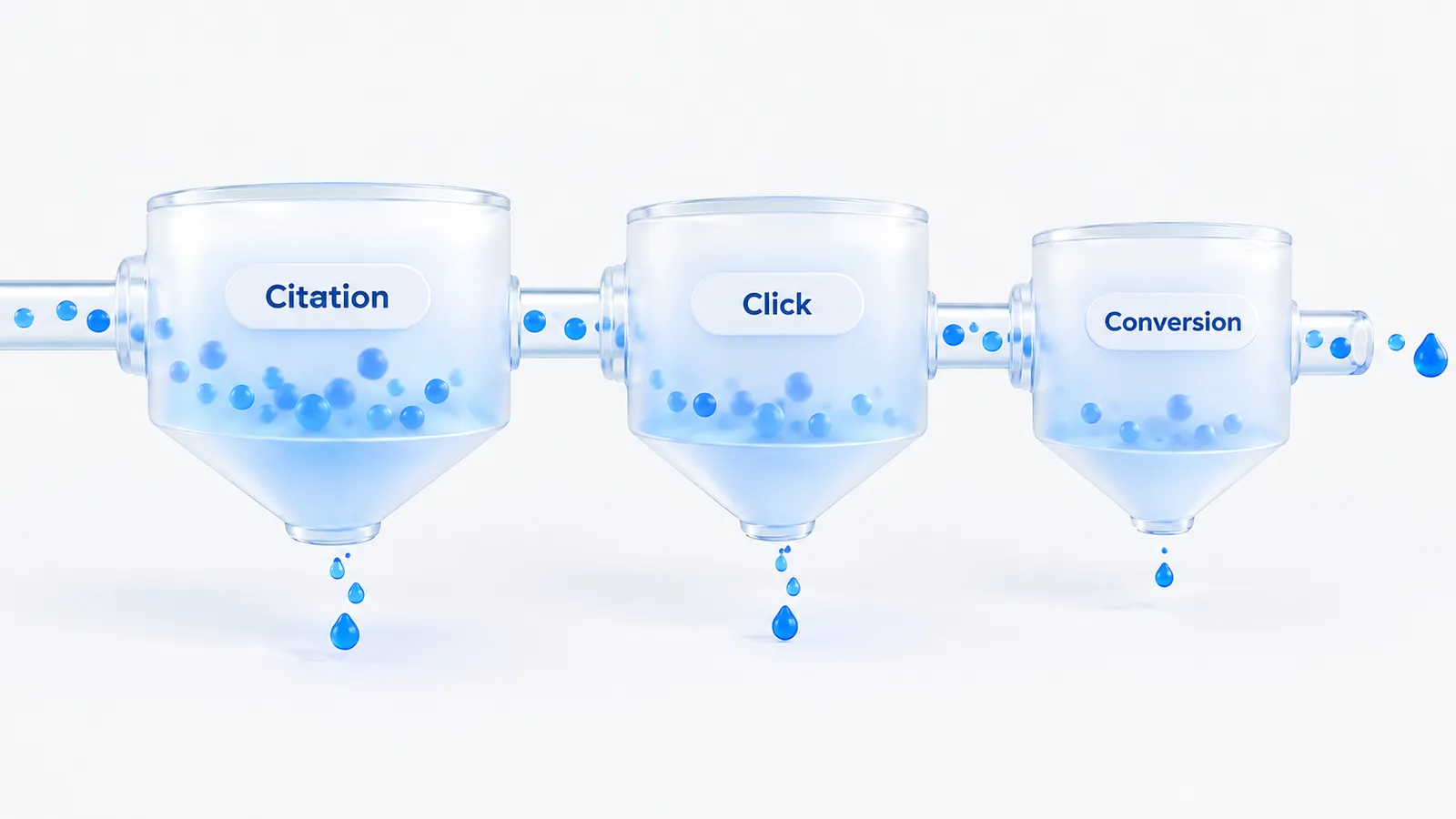
The good news is that the middle and final links use data you already own. The click shows up in your analytics as a session with a recognizable source, and the conversion is an event you almost certainly track already. The work is connecting them back to the AI citations that caused them, which starts with reading your referral traffic correctly. For a refresher on what counts as a citation in the first place, see our glossary entry on LLM citations.
How to see AI-referral traffic in GA4
When a reader clicks a link cited inside an AI answer, their browser usually passes a referrer, and the assistant's own domain shows up as the traffic source in Google Analytics 4. That is the thread you pull. The assistants each have identifiable hosts: ChatGPT sends readers from chatgpt.com and chat.openai.com, Perplexity from perplexity.ai, Gemini from gemini.google.com, and Claude from claude.ai. Microsoft Copilot and Bing add their own. Isolate those and you have a rough but real view of AI-referred traffic.

The practical steps in GA4 are straightforward. Open a new exploration, add the Session source or Session source / medium dimension, and filter it to the assistant hosts above. Save the result as a segment or an audience so you can watch it as a trend rather than checking it by hand each week. Add your conversion events as metrics in the same exploration, and you can read volume and outcomes side by side.
A single regular-expression filter on Session source covers the main hosts in one condition (choose "matches regex"): chatgpt\.com|chat\.openai\.com|perplexity\.ai|gemini\.google\.com|claude\.ai|copilot\.microsoft\.com. Check your own referral report for hosts this misses, because assistants add and rename domains, and keep the list in one saved place so every report uses the same definition. Per-engine guides for ChatGPT, Perplexity, Gemini and Claude cover the visibility side of each.
Some engines strip the referrer or route clicks through a redirector, and Google AI Overviews clicks often land under organic google rather than as a distinct AI source. So treat this segment as a floor, not a full count. Google Search Console helps fill the AI Overviews gap, because it reports impressions and clicks for the queries where your pages appear in AI-enhanced results. Our walkthrough of the Search Console generative AI report shows where that data lives and what it does and does not separate out.
What to measure once you can see it
A single number for AI traffic is not enough to act on. Four measures turn the segment above into something you can make decisions with.
- Volume. How many sessions arrive from AI assistants in a given period. This is your baseline. On most sites it is still a small share of total sessions, which is why the trend matters more than the absolute figure.
- Trend. The direction week over week or month over month. A rising line against a flat one for the rest of your traffic is the signal that AI search is becoming a channel worth resourcing.
- Top landing pages. Which of your pages the assistants actually send readers to. These are, in effect, your cited pages, the ones engines trust enough to surface. They tell you where your content is already winning, so you know what to reinforce and what to model new pages on.
- Conversions. How AI-referred sessions convert compared with your site average. Use the same events you already track, sign-ups, demo requests, orders or revenue, and segment them by the AI source. AI referrals can convert well, because the reader arrived after an answer that recommended you, but that is a hypothesis to check on your own data, not a rule.
Compare outcomes against your visibility trend
Measuring AI traffic in isolation still leaves the central question open: did the visibility work cause the traffic, or did they just move together by chance? You answer it by putting the two trends on the same chart. Plot your AI share of voice on a fixed set of buyer questions against AI-referred sessions and conversions over the same weeks, and look at the shape and the timing.
The direction of cause is visible in the lead and the lag. Visibility should move first, because an engine has to start citing you before anyone can click through. Referred traffic and conversions follow. If share of voice climbs over a few weeks and AI-referred sessions climb behind it, you have directional evidence that the citations are doing real work. If visibility rises but traffic stays flat, the citations are probably landing on low-click queries, or the surfaced snippet answers the question so fully that readers never click. Either way, the comparison tells you where to look next, which no single metric on its own can do.

Visibility is the cause you can influence; referred traffic and conversions are the effect you care about. Line them up on one axis and the payoff, or the leak, becomes obvious.
A worked example: turning the numbers into an ROI estimate
The figures below are invented for illustration, not benchmarks. Swap in your own. The point is the shape of the calculation and the assumptions you have to state out loud.
A B2B software company tracks 40 buyer questions. Over one quarter its share of voice on those questions rises from 12 percent to 21 percent. In GA4, the AI-referral segment grows from 300 to 520 sessions a month across the same period, while the rest of its organic traffic is roughly flat. AI-referred sessions convert to demo requests at 3 percent, so the extra 220 sessions a month produce about 6.6 extra demos. If 20 percent of demos close and the average first-year contract is $6,000, that is roughly 1.3 deals, or about $7,900 in first-year revenue a month that the referral data can see.
Set that against cost. If the tool and the content work on the cited pages cost $2,500 a month, the attributable return is about 3x before you count any view-through influence. The honest way to present it is a range with the assumptions next to it:
- Attribution assumption. We count only the increase in AI-referred sessions above the starting baseline, not the whole segment.
- Causation assumption. Share of voice moved before the traffic did, and other channels were flat. If you also launched a campaign in the same weeks, discount the figure.
- Undercount. Branded and direct visits influenced by AI answers are excluded, so the true figure is likely higher than the estimate, by an amount you cannot measure directly.
Presented that way, a finance reviewer can disagree with an assumption rather than with the whole number, which is a much easier conversation. Segment-specific framing helps too: see how this plays out for SaaS teams, ecommerce stores and small businesses.
Why native GA4 and Search Console integration matters
There are two ways to run the comparison above. The bolt-on way is to export your AI visibility from one tool, pull GA4 referral data into a spreadsheet, line up the dates by hand, and hope the join holds each week. It works once. It rarely survives contact with a busy month, and the seams between the two datasets are where mistakes and abandoned reports live.
The native way is to use a tool that already holds both. When visibility and the traffic it drives sit in the same product, on the same time axis, the lead-and-lag relationship is there to read without stitching CSVs together. This is the specific reason Measure connects GA4 AI-referral traffic, Google Search Console and Bing Webmaster natively rather than treating attribution as an afterthought. The citation trend and the outcome trend are in one view, so the loop from an engine naming you to a conversion on your site is a single motion. Agent M, the in-app assistant, can answer questions about that data and run a live scan or a page audit when you want to dig in.
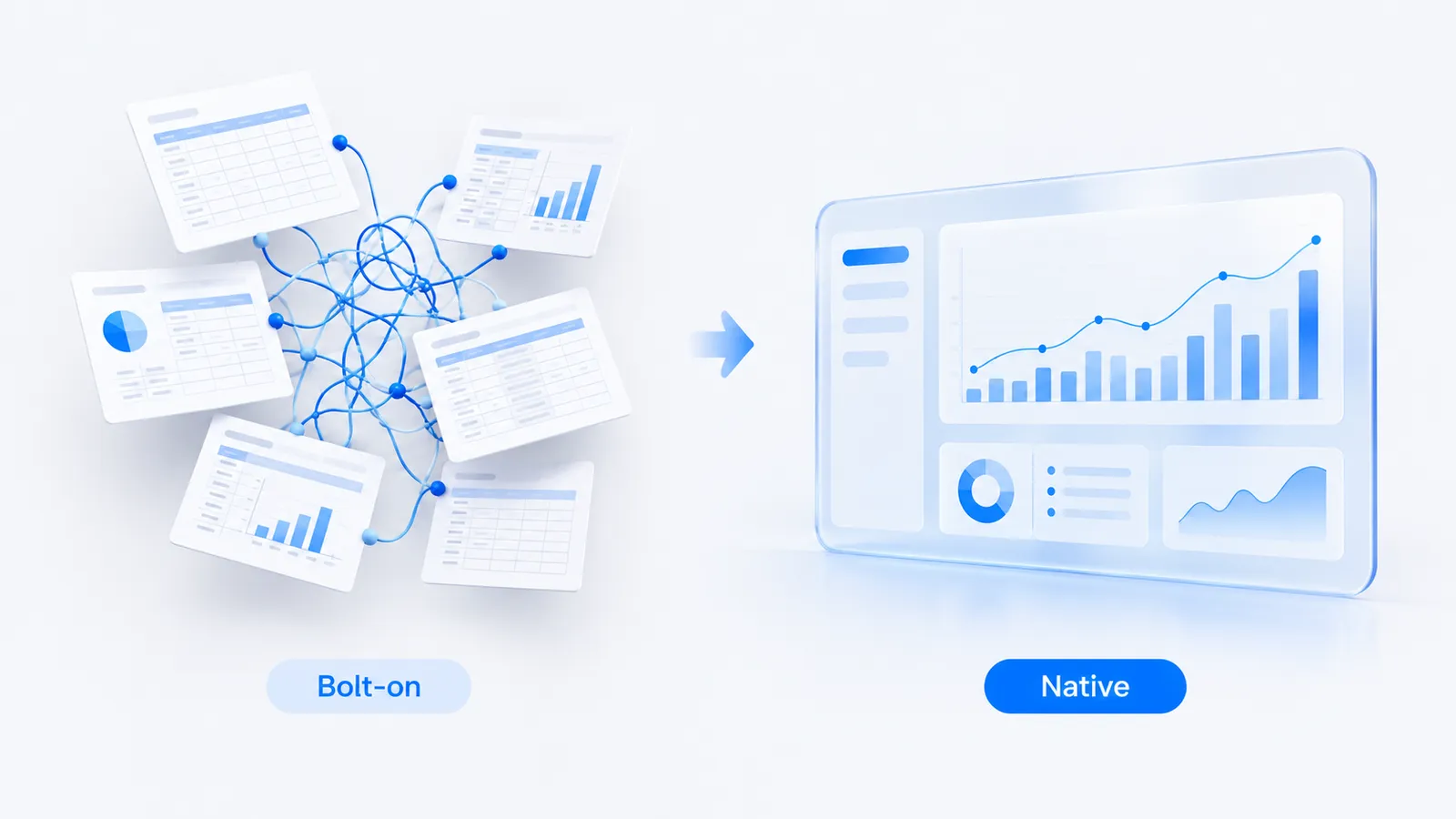
Native attribution is also what separates a serious tool from a dashboard of scores, and it is the axis we weight most heavily in our roundup of the best AI search visibility tools. A visibility number you cannot connect to revenue is a number you cannot defend in a budget meeting.
The honest caveat: attribution is directional
It would be dishonest to sell this as a precise ledger, so we will not. AI referral data is genuinely immature, and it undercounts in ways you should plan around. Assistants change how and whether they pass referrers. Some strip them entirely. Some clicks route through redirectors that obscure the source. And the largest gap of all is view-through influence: a reader who sees your brand recommended in an AI answer, forms a preference, and later arrives through a branded search or a direct visit never shows up in your referral reports at all, even though the citation is what moved them.
The right posture is to treat AI attribution as directional evidence rather than an exact count. Measure the trend, not the decimal. Triangulate the GA4 referral segment with Search Console query data and with what you see in your own pipeline. Accept that the number you can measure is a floor, and that the true influence of AI search on your revenue is almost certainly larger than the referrals you can attribute. Undercounting is the norm in this channel, and a tool that pretends otherwise is the one to distrust.

A 30-day checklist to close the loop
- Week 1: fix the question set. Write 20 to 40 real buyer questions and freeze them, for example "best [category] tool for [team size]", "[your brand] vs [competitor]" and "how do I [job your product does]". Changing the set mid-test breaks the trend. Our prompt tracking page explains how to pick them.
- Week 1: build the GA4 segment. Apply the regex above, attach your key conversion events and save it.
- Week 2: record the baseline. Note share of voice, AI-referred sessions, conversions and the top AI landing pages before you change anything.
- Weeks 2 to 4: work the cited pages. Improve the pages engines already send readers to, and target the sources engines cite for competitors (see citation sources).
- Week 4: read the lag and write the estimate. Compare the trends, then write the ROI range with its assumptions, as in the worked example.
The moment you can point at a rising share of voice, a rising line of AI-referred sessions, and a conversion rate that holds up, you have turned a vanity score into an argument for more budget. Expect a month to be the start of a trend rather than proof; most teams need a full quarter of data before the lag is clear.
If you would rather not stitch the two halves together by hand, that is the case for a tool with native attribution built in. You can check where your brand stands today with the free AI visibility checker, and start tracking the full citation-to-revenue chain on a paid plan when you are ready to close the loop for good.
Frequently asked questions
How do I calculate ROI from AI search?
Count the increase in AI-referred sessions above your baseline, multiply by your conversion rate, close rate and deal value, and compare that with the cost of the tool and the content work. State your assumptions, and treat the result as a floor, because AI-influenced branded and direct visits are not captured.
Can you measure the ROI of AI search visibility?
Yes. The chain is: AI engines cite you, some readers click through to your site, and some convert. You measure it by identifying AI-referral traffic in Google Analytics 4 (visits arriving from ChatGPT, Perplexity, Gemini and Claude answer links), tracking those visits' landing pages and conversions, and comparing that against your visibility trend.
How do I see traffic from AI engines in GA4?
AI assistants pass through identifiable referrers when a user clicks a cited link. A tool with native GA4 integration can isolate those referrers, show volume and trend, and surface the top landing pages, so AI-driven traffic sits next to your visibility score rather than hiding inside direct or referral traffic.
We build Measure, a self-serve platform that tracks how AI engines describe and recommend brands, and connects that visibility to real traffic and revenue. Everything here is written from what we see in the data every day.